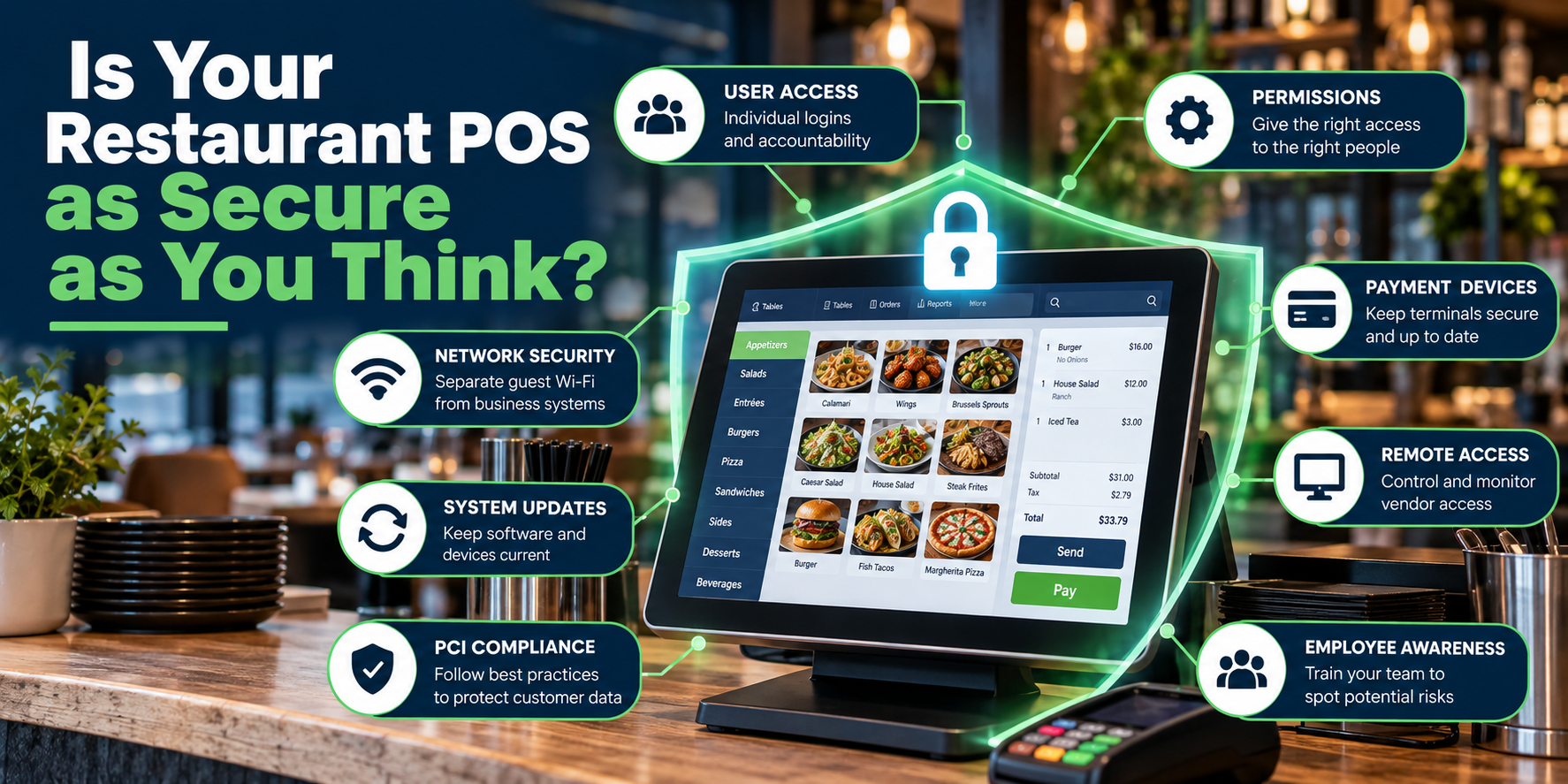
Restaurant point-of-sale systems handle some of the most important information in your business.
- Sales
- Employee access
- Customer transactions
- Payment data
- Reporting
- Online orders
POS systems connect to an increasing number of other restaurant systems, yet POS security often gets less attention than menu design, hardware, or payment-processing rates. That’s understandable. Security isn’t particularly noticeable when everything is working. A restaurant owner shouldn't need to become a cybersecurity expert to protect their technology better. Many of the most important steps are also some of the most practical.
Here are ten areas restaurant owners should review.
1. Stop Sharing POS Logins
One of the simplest improvements is giving employees their own credentials.
A shared login like:
SERVER
or
MANAGER
may seem convenient, but it removes accountability.
If five managers use the same account, you may not know who:
- Issued a refund
- Changed a price
- Applied a discount
- Voided an item
- Accessed a report
- Changed system settings
Individual accounts create a clearer activity record.
They also make it easier to remove access when an employee leaves.
Your POS should know who is using it.
2. Give Employees Only the Access They Need
Not everyone needs administrator privileges.
A server needs different access from a manager.
A bartender may need different functionality from a cashier.
And an owner or system administrator may need access that nobody else should have.
Review permissions for functions such as:
- Refunds
- Voids
- Comps
- Discounts
- Menu changes
- Employee management
- Reporting
- Payment adjustments
- System settings
The goal isn’t to lock employees out of everything.
It’s to give them enough access to do their jobs without giving everyone control over the entire system.
3. Review Accounts When Employees Leave
Restaurants experience frequent staffing changes. Technology access needs to change with them. When an employee leaves, disable their access. That may include more than the POS.
Review access to:
- POS accounts
- Online ordering
- Scheduling systems
- Reporting portals
- Accounting platforms
- Delivery dashboards
- Loyalty systems
- Network administration
Don’t let former employees remain active simply because nobody remembered to remove them.
Employee offboarding should include technology.
4. Use Strong, Unique Passwords
Reusing the same password across restaurant systems creates unnecessary risk.
If attackers compromise one account, they will try the same credentials elsewhere.
Avoid using passwords based on obvious information such as:
- Restaurant name
- Address
- Phone number
- Opening year
- Simple variations like Restaurant123
Administrative accounts deserve particularly strong protection.
If a platform supports multi-factor authentication, consider enabling it for owner, manager, and administrative accounts.
A few extra seconds during login can provide meaningful additional protection.
I recommend investing in a password manager, like 1Password or Bitwarden. Password managers can also handle two-factor authentication and speed up logins.
5. Separate Guest Wi-Fi From Business Systems
Guests don't need to be on the same network as your POS or the other connected devices in the restaurant.
Your restaurant may have:
- POS terminals
- Payment devices
- Kitchen displays
- Printers
- Office computers
- Security cameras
- Music systems
- Employee devices
- Guest Wi-Fi
Not all devices need unrestricted access to one another. A properly designed network can separate different types of traffic.
At the very least, guest Wi-Fi should not simply be the same unrestricted network your restaurant uses for critical business systems.
6. Keep POS Systems and Devices Updated
Updates can be inconvenient.
They may require restarts or maintenance outside operating hours, but outdated systems can create both reliability and security problems.
Keep track of updates for:
- POS software
- POS operating systems
- Payment devices
- Network equipment
- Back-office computers
- Tablets
- Online ordering platforms
Also pay attention when a vendor announces that hardware or software is reaching end of support.
Equipment may keep working after official support ends, but that doesn't necessarily mean it is a good long-term plan.
7. Pay Attention to Payment Devices
Payment terminals deserve regular attention. Employees interact with them constantly, which can make it easy to stop noticing what they actually look like. Staff should become familiar with the normal appearance and placement of payment devices. If something suddenly looks different, loose, damaged, or altered, investigate it rather than ignoring it.
Restaurants should also know:
- Which devices belong in the restaurant
- Where they are located
- Who supplied them
- Who should be contacted if one is damaged or replaced
Your payment equipment should not become invisible simply because employees see it every day.
8. Be Careful With Remote Access
Remote support can be extremely useful. A technician may be able to troubleshoot a restaurant without driving onsite.
But remote access should be intentional and controlled.
Understand:
- Which vendors can remotely access systems?
- Which software provides that access
- Whether access is always enabled
- What credentials are used
- Who approves remote sessions?
Be suspicious of unexpected calls from someone claiming they need immediate remote access to fix your POS or payment system, and never call the first number you see on Google. Scammers pay to promote their ads and fake information.
If you’re unsure, contact your provider using a phone number or support channel you already trust.
9. Know What Technology You Actually Have
Restaurants often accumulate technology over time.
A router is replaced.
Another access point is added.
An old terminal stays connected.
A new online-ordering integration appears.
Eventually, nobody has a complete picture of the environment.
Maintain a basic inventory that includes:
- POS terminals
- Payment devices
- Network equipment
- Printers
- Kitchen displays
- Back-office computers
- Tablets
- Key software platforms
- Important integrations
You don’t need an elaborate database.
You do need to know what’s connected to the business.
It’s difficult to protect equipment nobody remembers exists.
10. Don’t Treat PCI Compliance as Just a Questionnaire
Restaurants that accept payment cards have responsibilities around protecting payment information.
Don't treat it as an annual box-checking exercise.
The practical questions matter:
How are payment devices connected?
Who has access to systems?
Is cardholder information being stored somewhere it shouldn’t be?
Are devices being maintained?
Is your network configured appropriately?
What happens when equipment is replaced?
Your processor, POS provider, and qualified security professionals can help determine the specific requirements for your environment.
The important point for restaurant owners is simpler:
Payment security is an ongoing operational responsibility, not paperwork you think about once a year.
If you have questions about PCI Compliance, contact your payment processor. Your processor will have requirements you must meet to process payments.
What About Cloud-Based POS Systems?
Moving to a cloud-based POS changes some of the technology a restaurant needs to manage.
It does not eliminate security responsibility.
The provider may manage significant portions of the software infrastructure, but the restaurant still controls things such as:
- Employee accounts
- Passwords
- Permissions
- Physical equipment
- Network access
- Integrations
- Administrative credentials
A secure platform can still be poorly configured inside an individual restaurant.
Technology and operational practices both matter.
Watch for Social Engineering
Not every attack begins with sophisticated software.
Sometimes someone calls the restaurant.
They may claim to be:
- POS support
- Payment processing
- The internet provider
- Corporate IT
- A delivery platform
- A manager or owner
Then they ask an employee for a password, verification code, payment information, or remote access.
Train managers and employees to pause when unexpected technology requests arrive.
If someone claims to represent a vendor, verify the request using contact information you already have rather than relying on the caller’s instructions.
A legitimate support process should survive verification.
Build Security Into Employee Training
POS training usually focuses on:
Here’s how you enter an order.
Here’s how you close a check.
Add a few security basics.
Employees should know:
- Never share passwords
- Never approve unexpected login requests.
- Don’t connect unknown devices.
- Don’t give remote access to unverified callers.
- Report unusual payment-terminal changes.
- Tell a manager when something looks wrong.
Security awareness doesn't need to be a two-hour technical presentation.
A few clear expectations can make a meaningful difference.
Review Your Setup Periodically
Restaurants change.
Employees leave.
Managers change.
New integrations are added.
Hardware gets replaced.
Permissions expand.
Old accounts remain active.
That means a secure configuration can gradually become messy.
Periodically review:
Users
Who still has access?
Who still has access?
Permissions
Does everyone need what they have?
Does everyone need what they have?
Devices
Is everything accounted for?
Is everything accounted for?
Network
Are guest and business systems appropriately separated?
Are guest and business systems appropriately separated?
Software
Are systems supported and updated?
Are systems supported and updated?
Vendors
Who has access to what?
Who has access to what?
A short recurring review is far easier than trying to reconstruct everything after a problem occurs.
The Bottom Line
Restaurant POS security isn’t just about protecting a computer behind the counter.
Modern restaurant technology is an interconnected environment.
Your POS, payment devices, network, online ordering, employee accounts, and third-party systems all play a role.
The good news is that improving security doesn’t always require a complicated technology project.
Start with the basics:
Individual accounts. Appropriate permissions. Strong passwords. Updated equipment. Network separation. Controlled vendor access. Employee awareness.
Then review those basics regularly.
The objective isn’t to make your restaurant impossible to attack.
It’s to eliminate unnecessary risk and make your technology environment harder to misuse.
The same POS that helps run your restaurant every day deserves to be protected like the critical business system it is.
When Was the Last Time You Reviewed Your Restaurant Technology?
Tillify Technologies helps restaurants manage point-of-sale systems and the technology surrounding them, from configuration and user access to networking, installation, hardware, and ongoing system maintenance.
A restaurant’s technology environment changes over time.
Maintaining it should include making sure the setup still makes sense.
Better restaurant technology isn’t only about what your system can do. It’s also about how well you manage it.
Comments